渲染基础 - Fundamental of Graphics
代码实现过程记录
Section titled “代码实现过程记录”具体代码见https://github.com/CanoeByGuitar/chenhui-lib
光线和各种物体求交
Section titled “光线和各种物体求交”
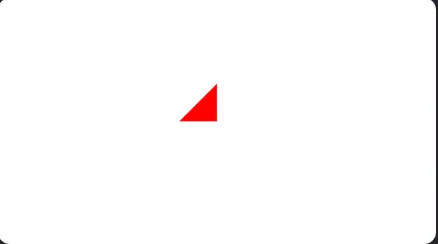
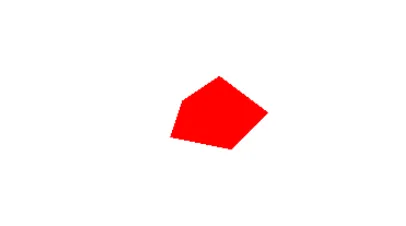

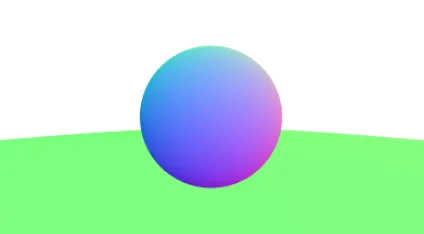
上面那个把法线从[-1,1]映射到[0,255,255]
带有Anti-aliasing的多物体求交

Lambertian Shading
Section titled “Lambertian Shading”// lightvec3 light_pos(0,4,-2); float intensity = 1.f; Light light(light_pos, intensity);// World Material *m = new Material(vec3(100, 100, 100)); SurfaceList world(nullptr); world.add(std::make_shared<Circle>(Circle(m, vec3(0, 0, -1), 0.5))); world.add(std::make_shared<Circle>(Circle(m, vec3(0, -100.5, -1), 100)));vec3 ray_color(SurfaceList &world, Ray r, Light light){ Intersection inter1; vec3 color(0, 0, 0); if(world.getIntersect(r, 0.f, INF, inter1)){ auto p = inter1.point; auto n = inter1.normal; auto light_ray = Ray(p, light.pos - p); auto l = light_ray.direction(); auto k_d = inter1.m->k_d; Intersection inter2; if(world.getIntersect(light_ray, 0.f, INF, inter2)){ // light cannot arrive at obj }else{ auto I = light.intensity; color += k_d * max(n * l, 0.f) * I; } } return color;}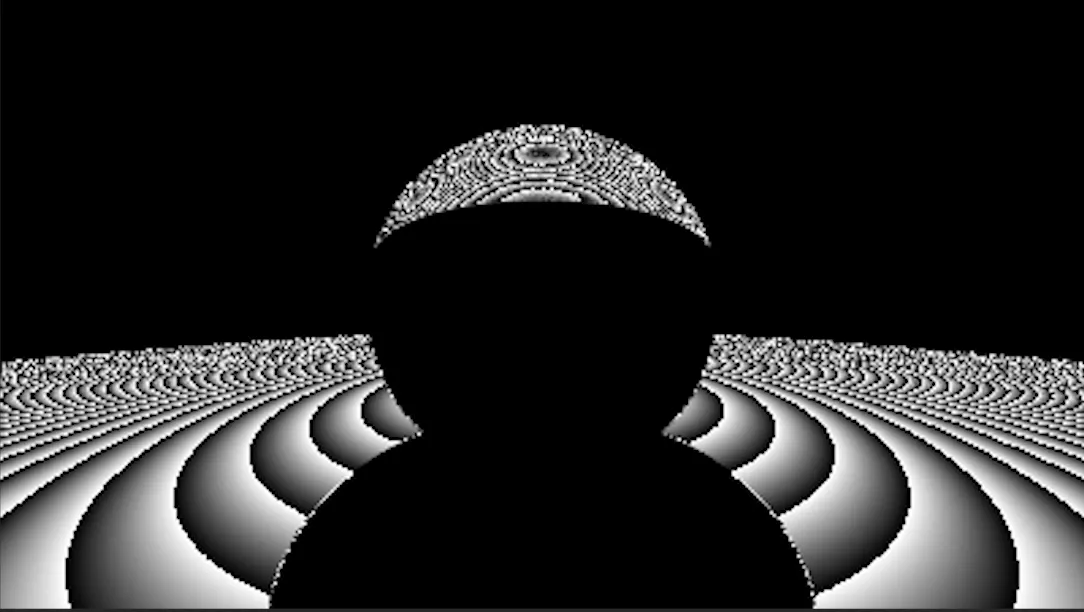
检查代码 材质里的k_d应该是[0,1]区间而不是[0,255]
Material *m = new Material(vec3(0.7f, 0.7f, 0.7f));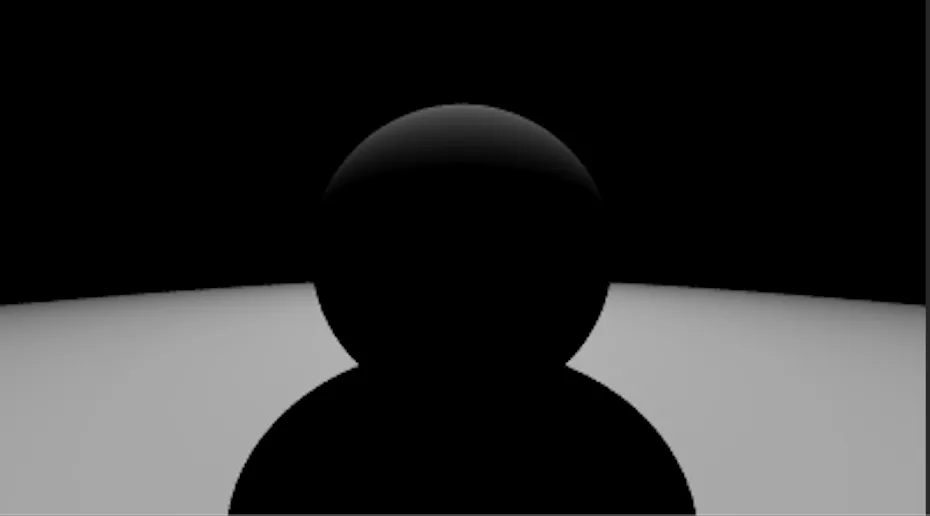
Blinn-Phong Shading
Section titled “Blinn-Phong Shading”给输出color加了一个clamp,超过1的输出1,否则ppm会被大于255的数解析成黑的
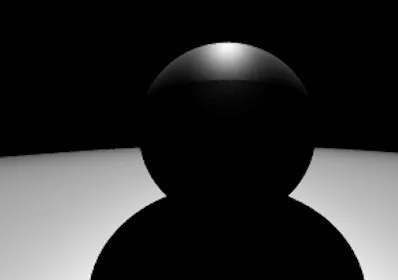
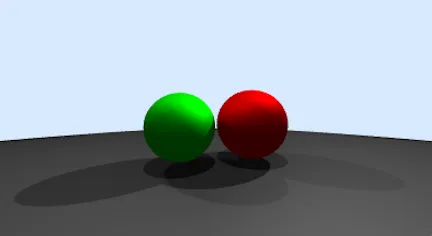
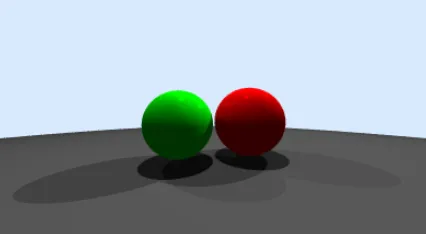
下图的参数为:
// World    auto *m1 = new Material(vec3(1, 0, 0), vec3(1, 0, 0), vec3(1, 0, 0));    auto *m2 = new Material(vec3(0, 1, 0), vec3(0, 1, 0), vec3(0, 1, 0));    auto *m3 = new Material(vec3(0.25, 0.25, 0.25), vec3(0.25, 0.25, 0.25), vec3(0.25, 0.25, 0.25));    SurfaceList world(nullptr);    world.add(std::make_shared<Circle>(Circle(m1, vec3(0.42, -0.08, -1.5), 0.4)));    world.add(std::make_shared<Circle>(Circle(m2, vec3(-0.35, -0.1, -1.3), 0.35)));    world.add(std::make_shared<Circle>(Circle(m3, vec3(0, -100.5, -1), 100)));
    // light    std::vector<Light> light_list;    light_list.emplace_back(vec3(-4, 4, -3), 0.2f);    light_list.emplace_back(vec3(4, 4, -3), 0.5f);    light_list.emplace_back(vec3(0, 6, 0), 0.3f);
vec3 ray_color(SurfaceList &world, Ray r, const std::vector<Light> &light_list) { Intersection inter1; vec3 color(0, 0, 0); if (world.getIntersect(r, 0.f, INF, inter1)) { auto p = inter1.point; auto n = inter1.normal; auto v = -r.direction(); auto k_d = inter1.m->k_d; auto k_s = inter1.m->k_s; auto k_a = inter1.m->k_a; // ambient shading float I_a = 0.2; color += k_a * I_a; for (auto light: light_list) { auto light_ray = Ray(p, light.pos - p); auto l = light_ray.direction(); auto h = unit_vec((v + l)); Intersection inter2; if (world.getIntersect(light_ray, 0.f, INF, inter2)) { // light cannot arrive at obj } else { auto I = light.intensity; color += k_d * max(n * l, 0.f) * I + k_s * I * pow(max(0.f, n * h), 10); } } }else{ // background color return vec3(0.847, 0.914, 0.996); } return clamp(color, 0, 1);}调整下面的p得到不同的材质
L = k_d* I * max(0,n.dot(l))+ k_s* I * max(0,n.dot(h))^p // p是为了加速从高光到消失的变化效果的
点到直线距离
Section titled “点到直线距离”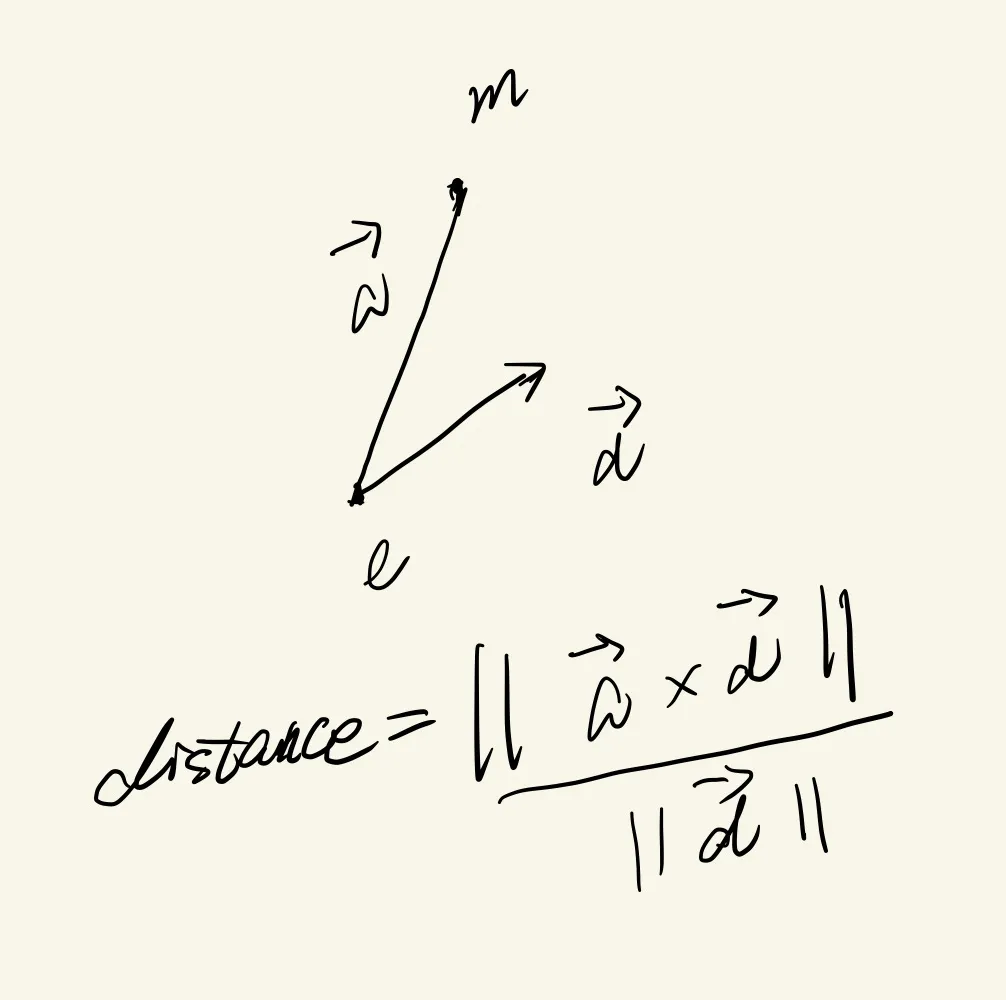
LU分解 L下三角 U上三角
首先注意,正交矩阵包括旋转和镜面反射两种情况
det(A) == 1 ==> rotation
det(A) == -1 ==> reflection
任意一个对成矩阵A,都表示沿着某一个方向(x’oy’)进行放缩,x’oy’由特征向量组成
==symmetric matrices can be decomposed via eigenvalue diagonalization into a rotation times a scale times the inverse-rotation==
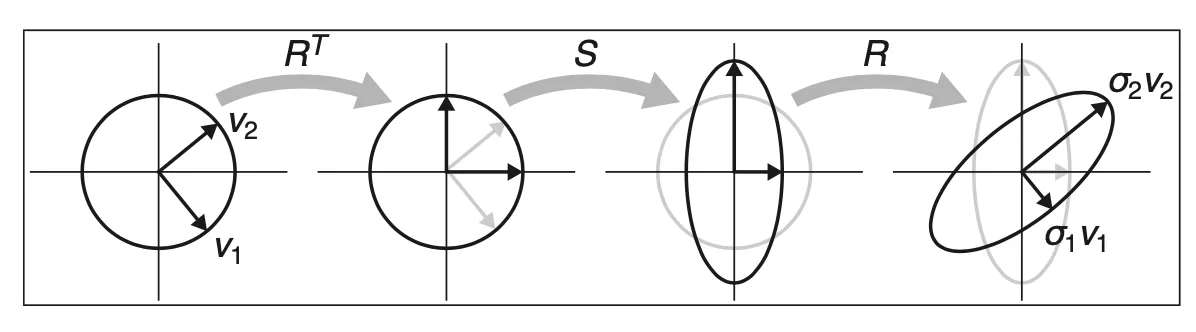
相似对角化
旋转 ==> 放缩 ==> 转回来
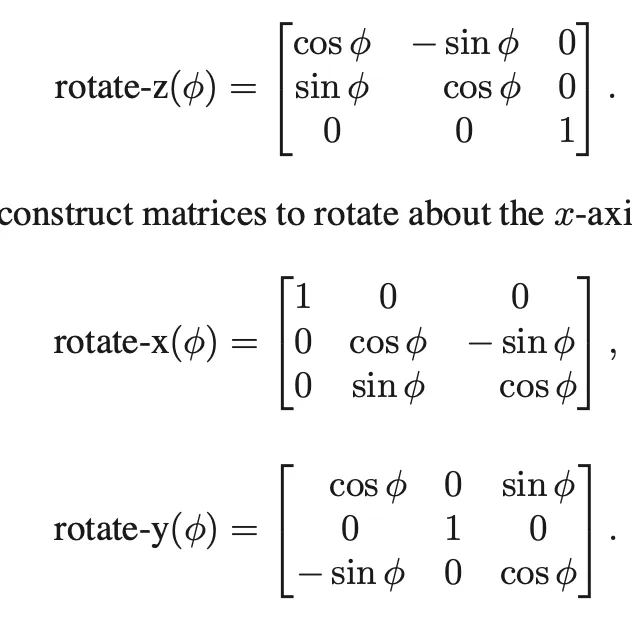
3D 旋转矩阵
singular value decomposition
==every matrix can be decomposed via SVD into a rotation times a scale times another rotation==
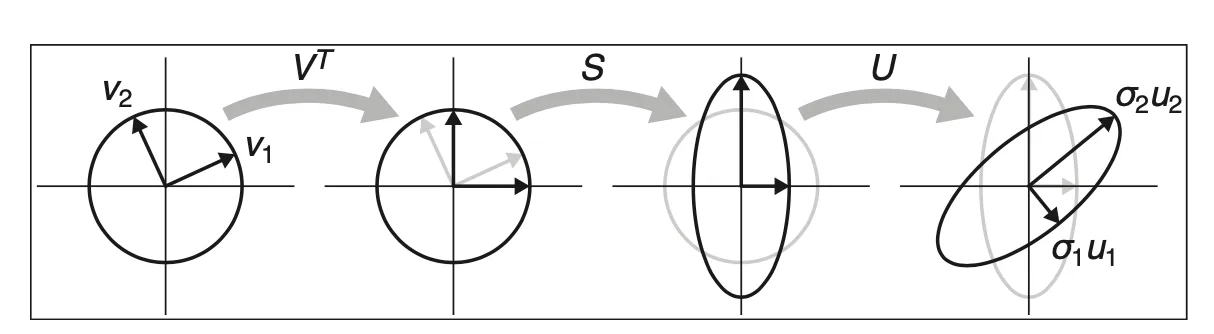
如何解决正交矩阵不一定是旋转矩阵的问题?(Dynamic Deformables P181)
手算SVD分解:
对称矩阵正交相似化,求特征值、特征向量, 特征值开根就是B,原则上统一取B为正的。
极分解:
任意一个矩阵A可以分解为
其中R是 正交矩阵, S是对称半正定矩阵
分解过程借助于SVD
令,
因为U V为正交矩阵,所以也是正交矩阵(乘自己转置为E)
B是对角阵,且正定,所以S对称正定。
实现(JacobiSVD)
https://zhuanlan.zhihu.com/p/459369233
Matrix Computation(2013) p447
- 先算极分解, ,得到对称矩阵S
- 对S进行Jacobi(Givens)旋转对角化,去掉非主对角的非零元素
齐次坐标(homogeneous coordinates)
Section titled “齐次坐标(homogeneous coordinates)”点 ==> (x, y, 1)
方向 ==> (x, y, 0)
Ray tracing
Section titled “Ray tracing”for each pixel do compute view ray find first hit object and its norml n set pixel color from hit point, light, normal nGen rays
Section titled “Gen rays”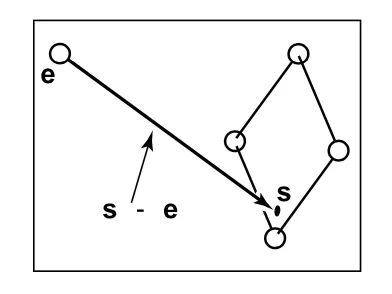
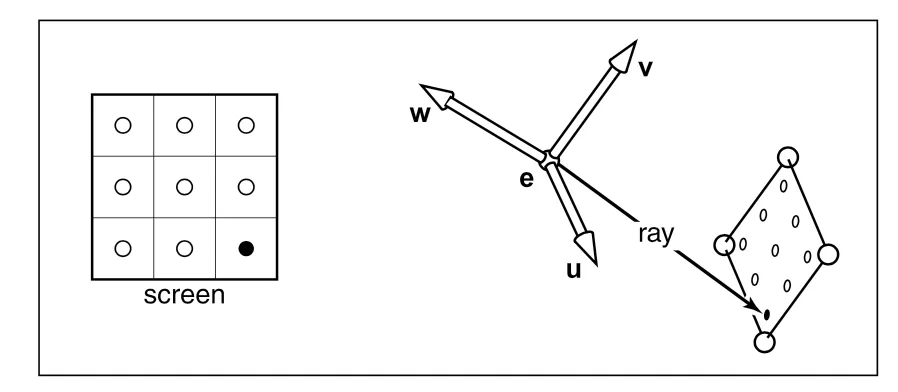
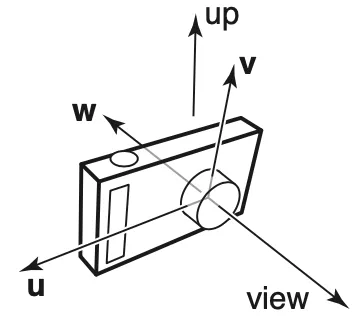
相机的view port是w的反方向(Opengl里也是如此)。
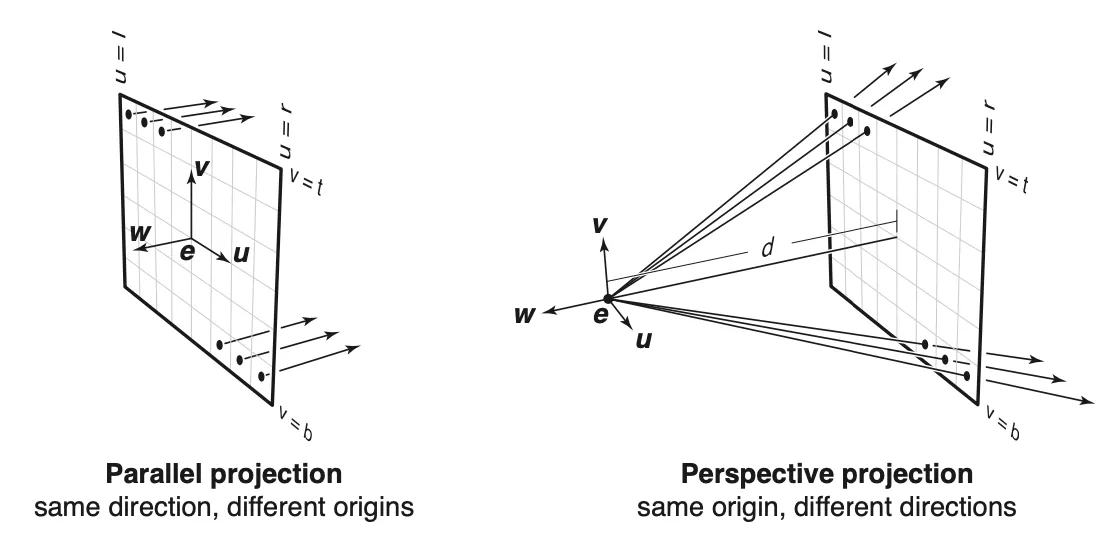
Orthographic view
Section titled “Orthographic view”// input [l,r,b,t, nx, ny, u, v, w]// pixel (i,j) ==> position coordinatespx = l + (r - l) / nx * (i + 0.5)py = b + (t - b) / ny * (j + 0.5)
ray.direction = -wray.origin = e + px * u + py * vPerspective Views
Section titled “Perspective Views”px = l + (r - l) / nx * (i + 0.5)py = b + (t - b) / ny * (j + 0.5)
ray.direction = -d * w + px * u + py * v;ray.origin = e;Ray-Object intersection
Section titled “Ray-Object intersection”Ray-Sphere
Section titled “Ray-Sphere”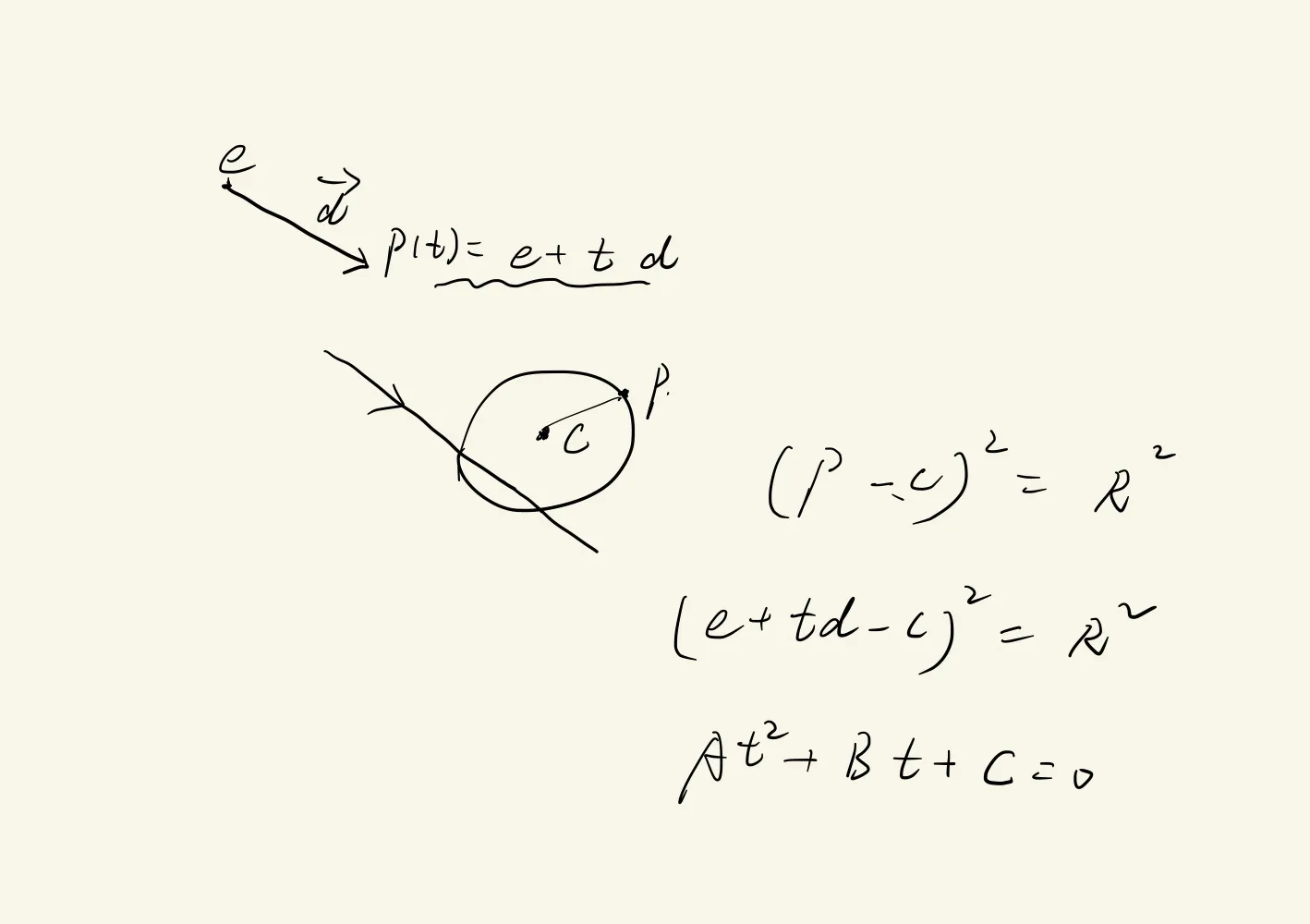

Ray-Triangle
Section titled “Ray-Triangle”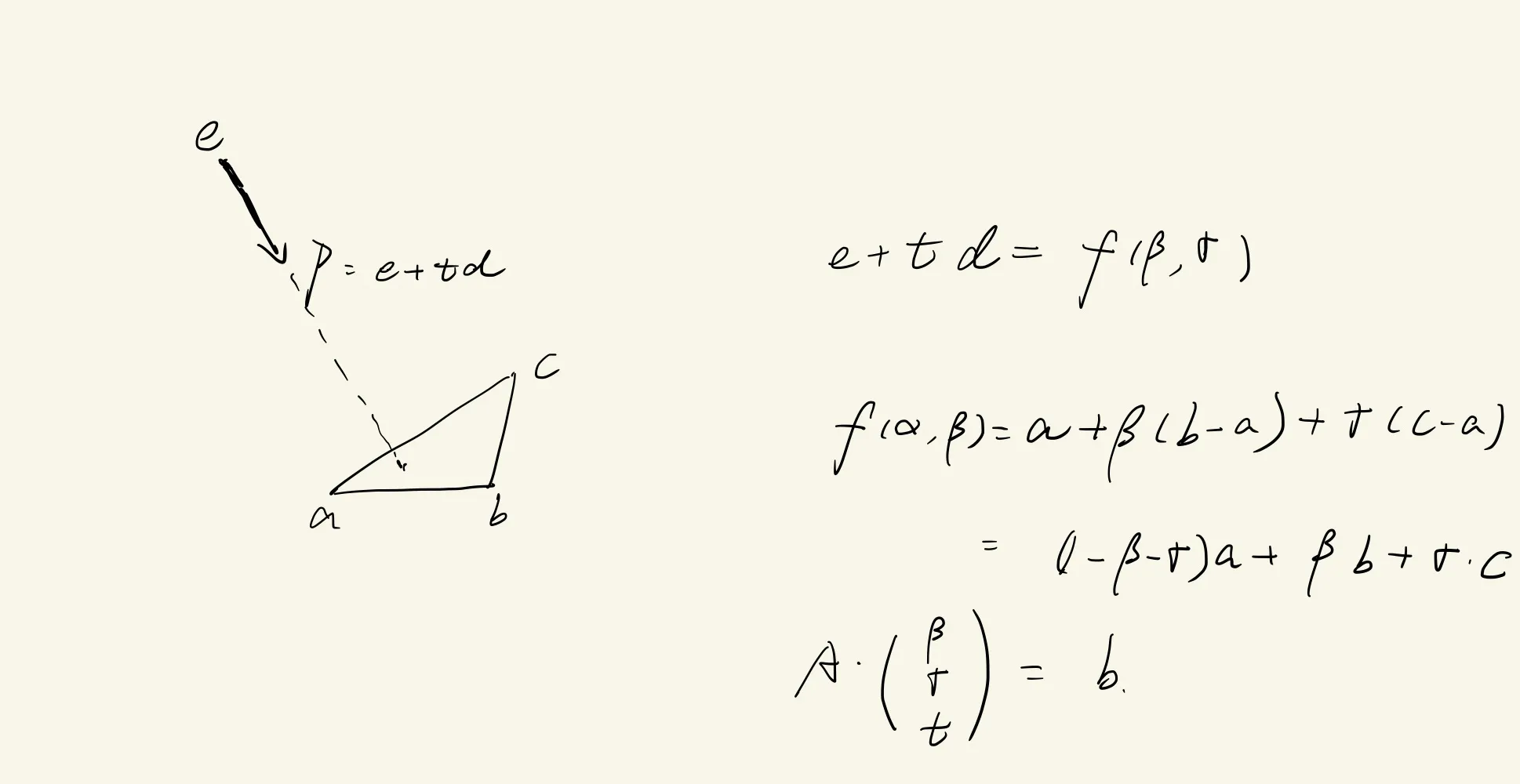
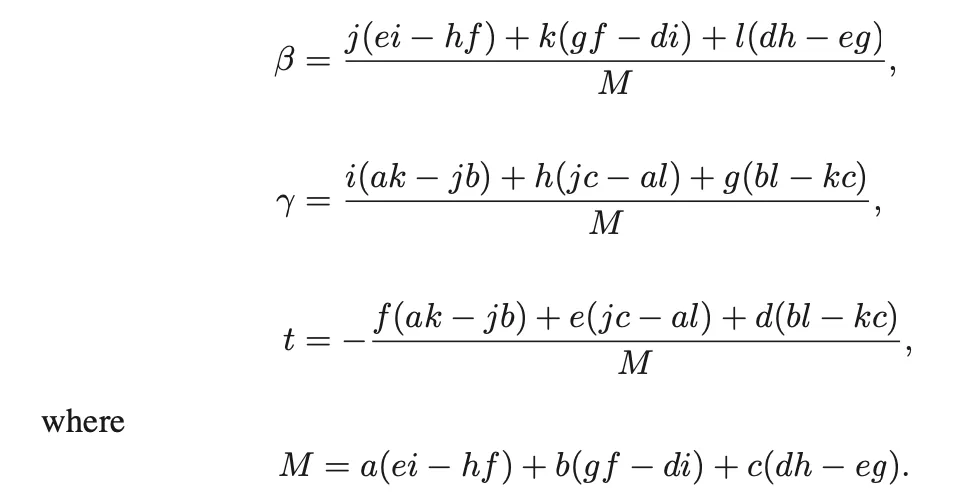
// ray-triangle intersectioncompute tif(t < t0 || t > t1) return false;compute gamma;if(gamma < 0 || gamma > 1) return false;compute beta;if(beta < 0 || beta > 1 - gamma) return false;return true;Ray-Polygon
Section titled “Ray-Polygon”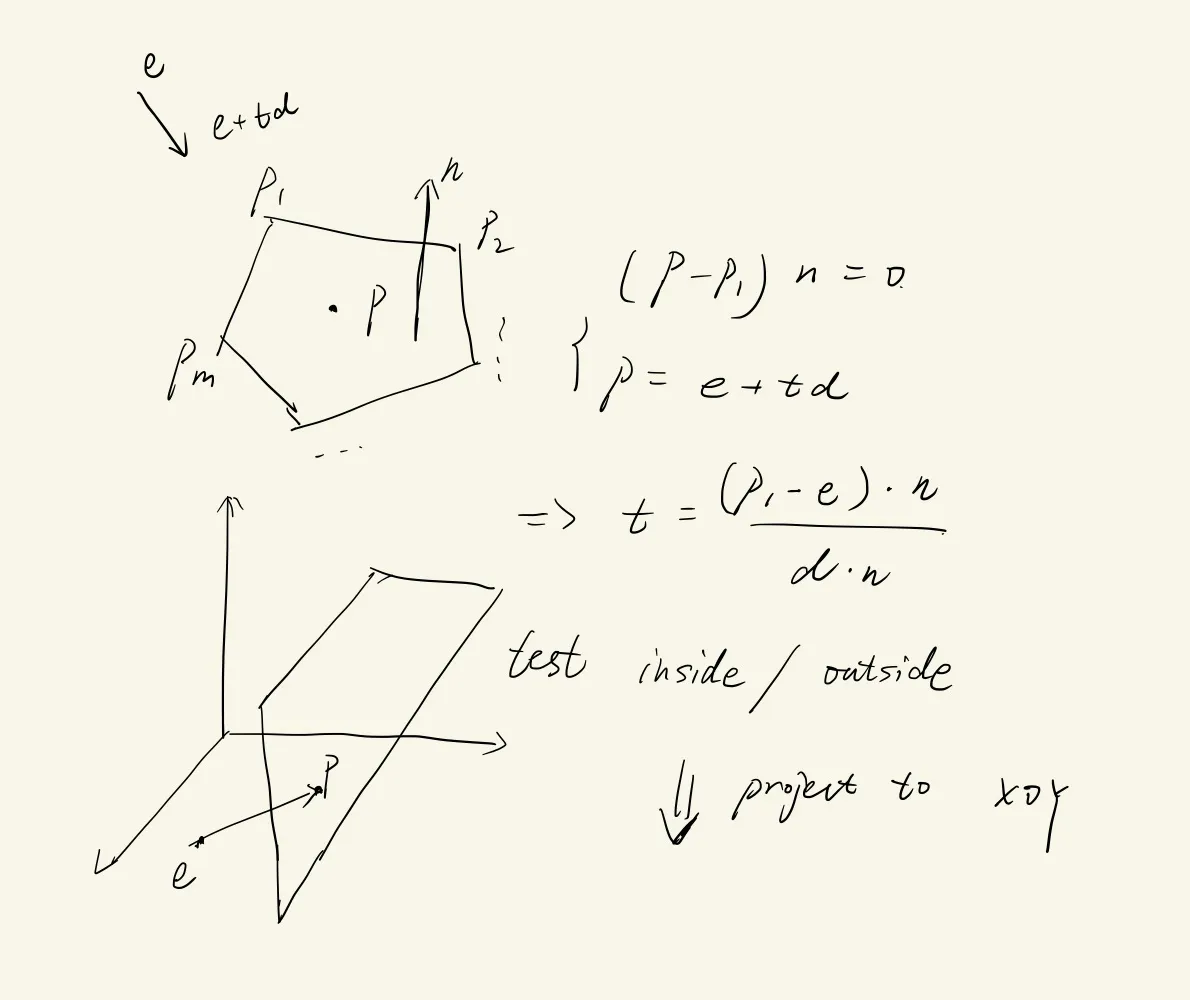
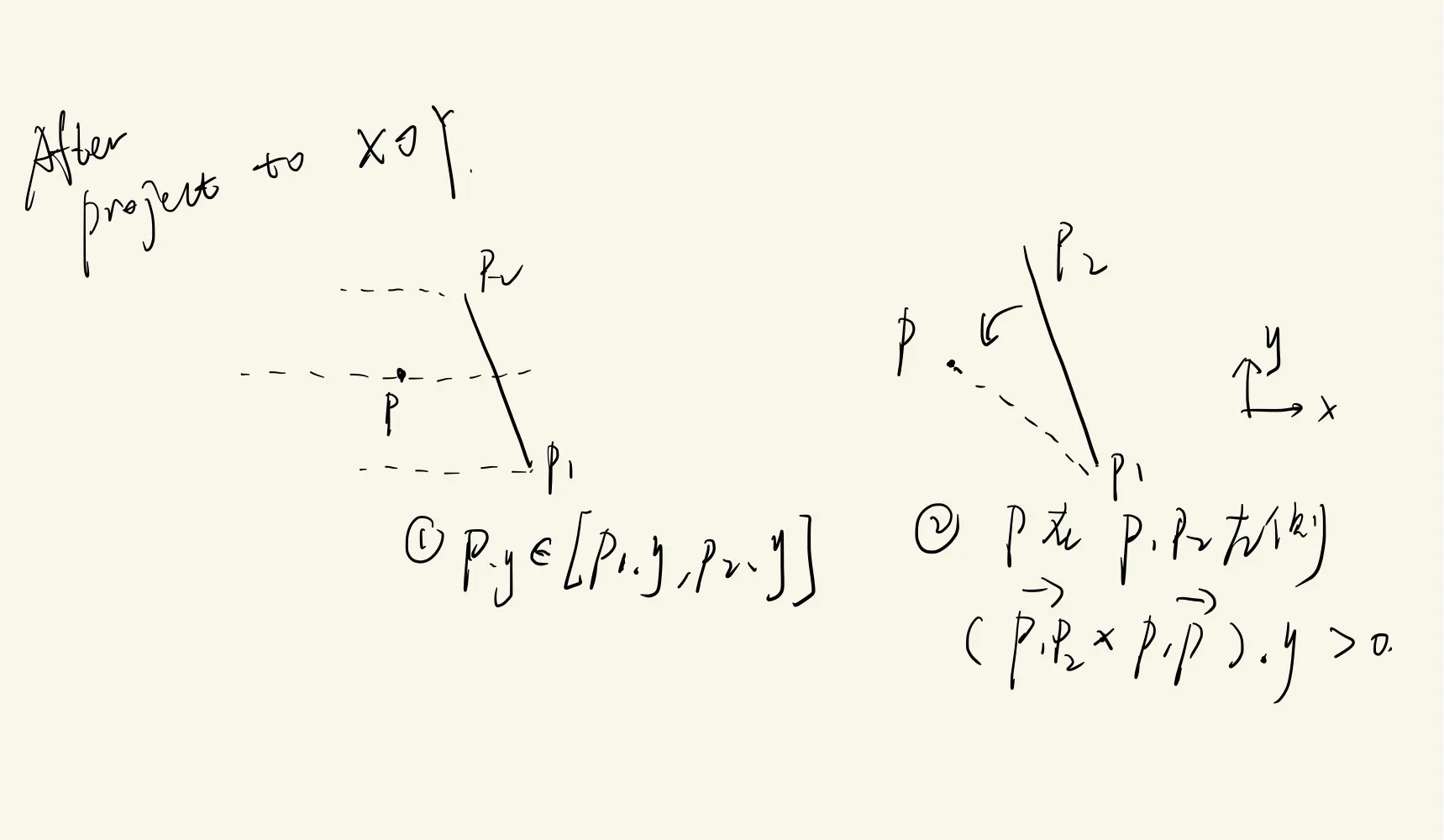
2D判断p在多边形内/外
ray from p intersects with polygon boundarycount the hit number hif(h is odd) return insideelse return outside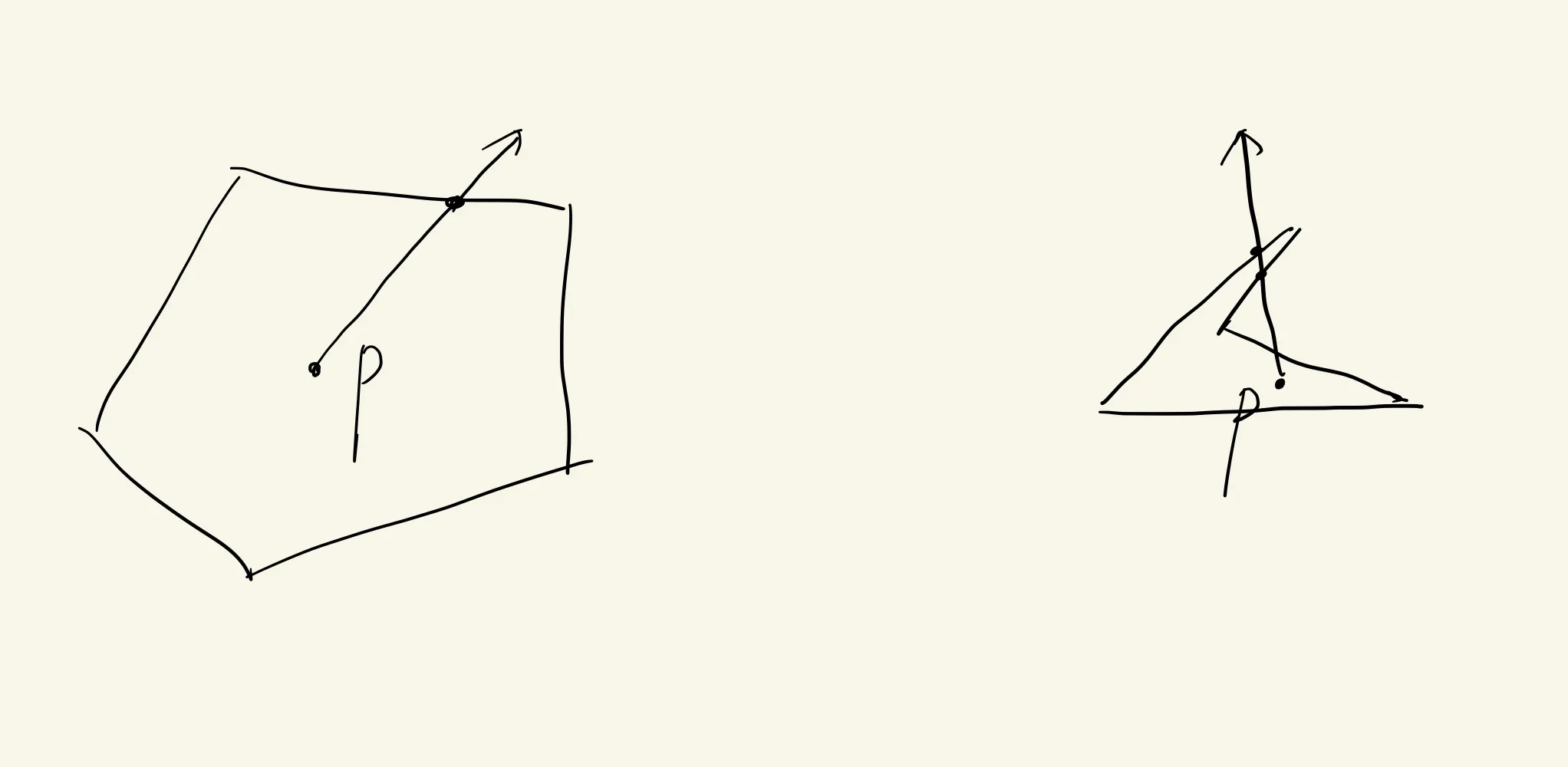
A group of Objects
Section titled “A group of Objects”// input [t0, t1] rayintersection{ bool hit = false for(each object o: group){ if(o intersets ray in t && t >= t0 && t < t1){ hit = true; hit_obj = o; t1 = t; } } return hit}Shading
Section titled “Shading”important variables:
-
light direction l
-
view dirction v
-
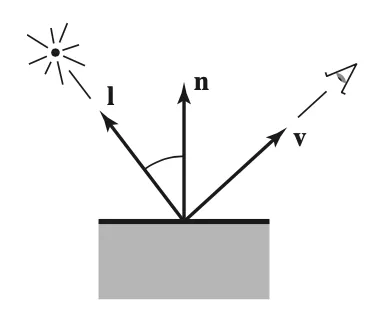
Lambertian Shading
Section titled “Lambertian Shading”落在surface上的光的量只和入射角度相关(view independent 不考虑人眼位置看到的光的不同)
-
垂直的时候 光最多
-
相切的时候 光为0
-
两者之间时,和入射光与face normal的夹角theta成正比。
L = k_d * I * max(0, n.dot(l));// k_d: diffuse coef / surface color 3 channels// I: light intensity 3 channels// n: unit face normal// l: unit light dir
Blinn-Phong Shading
Section titled “Blinn-Phong Shading”在Lambertian的基础上额外考虑高光(Phong和Blinn两个人分别完成和改进)
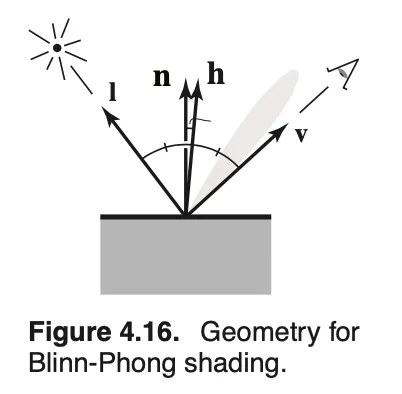
h = (v + l).norm() // Labert diffusion + specularL = k_d* I * max(0,n.dot(l))+ k_s* I * max(0,n.dot(h))^p // p是为了加速从高光到消失的变化效果的Ambient Shading
Section titled “Ambient Shading”然而在早期的blinn-phong模型下,没有被光源直接照射的地方就是纯黑的,因为blinn-phong不考虑间接光,所以一个讨巧的方法是,
给surface表面默认附上一个颜色,叫ambient shading
以上三块整体构成blinn-phong模型
L = diffusion + specular + ambient(环境光)L = k_d* I * max(0,n.dot(l))+ k_s* I * max(0,n.dot(h))^p + k_a * I_a // 可以所有的surface k_a都相同,也可以不一样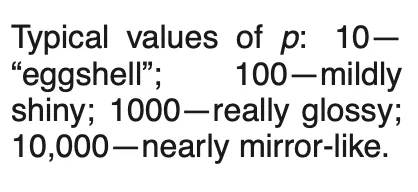
Multiple Point Lights
Section titled “Multiple Point Lights”
疑问:怎么设定, 不会产生过爆吗?
A ray tracing program
Section titled “A ray tracing program”for each pixel{ compute viewing ray r if(r hits a object with t in [0, +inf]){ compute normal n; evaluating shading and set color to the pixel }else{ set pixel to background color }}OOP类设计
class surface: geometry{  virtual bool hit(ray r+td, real t0, real t1, hit_record rec);  virtual box bounding_box()
  private material *mtl;}
class sphere:surface{  box bounding_box(){    vec3 min = center - vec3(radius, radius, radius);    vec3 max = center + vec3(radius, radius, radius);    return box(min, max);  }}
Shadows
Section titled “Shadows”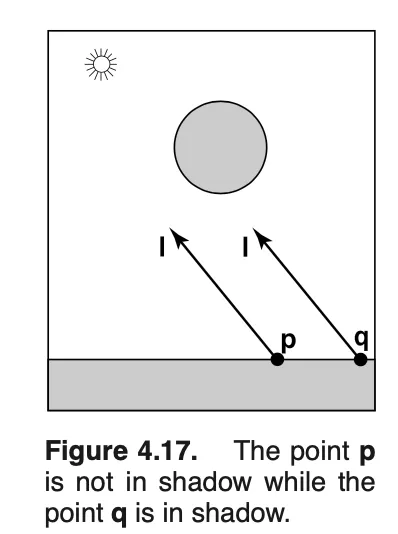
shadow ray(区分与view ray) 用来判断是否在阴影中(如果hit了object,则在阴影中)
p+t*l, t in [0,+inf)
// 实践中通常为t in [kesi, +inf] // 防止数值误差导致intersect with p本身在的平面。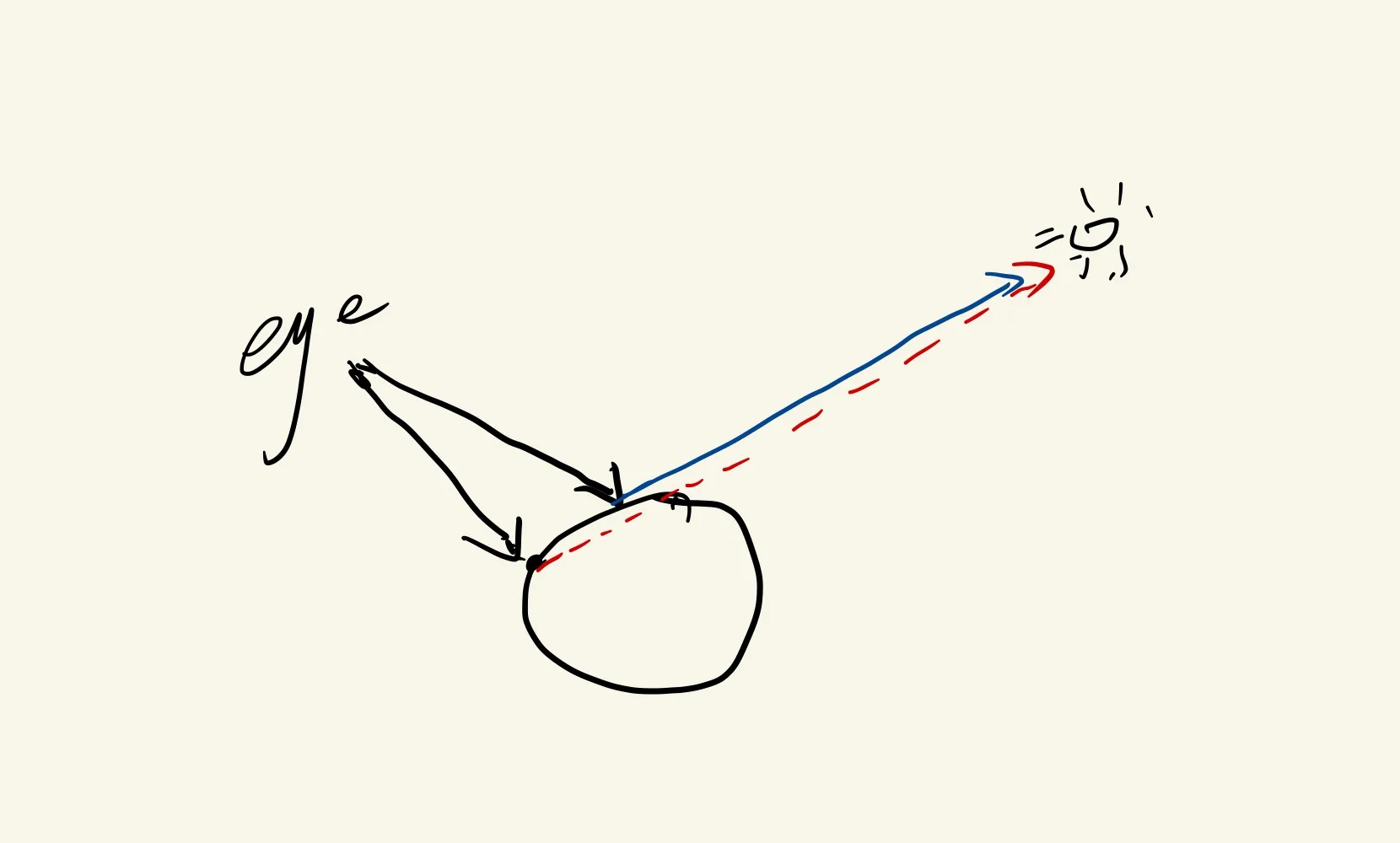
至此,更新ray tracing中计算某个像素颜色的算法
raycolor(e+t*d, t0, t1){  if(hit(e + t*d, t0, t1, &rec)){    p = e + (hit_record).t * d;    color c = rec.k_a * I_a; // ambient light
    // 判断能否被光源照到    if(not hit(p + s*l, kesi,inf, &second_record)){      // 没有阴影      vec3 h = (l.norm() + (-d).norm()).norm();      c = c + rec.k_d*I*max(0, n*l) + rec.k_s * I * (n  * h)^(rec.p);    }else{      // 有阴影不做其他处理    }  }else{    // 没有看到物体    return background;  }}
Viewing
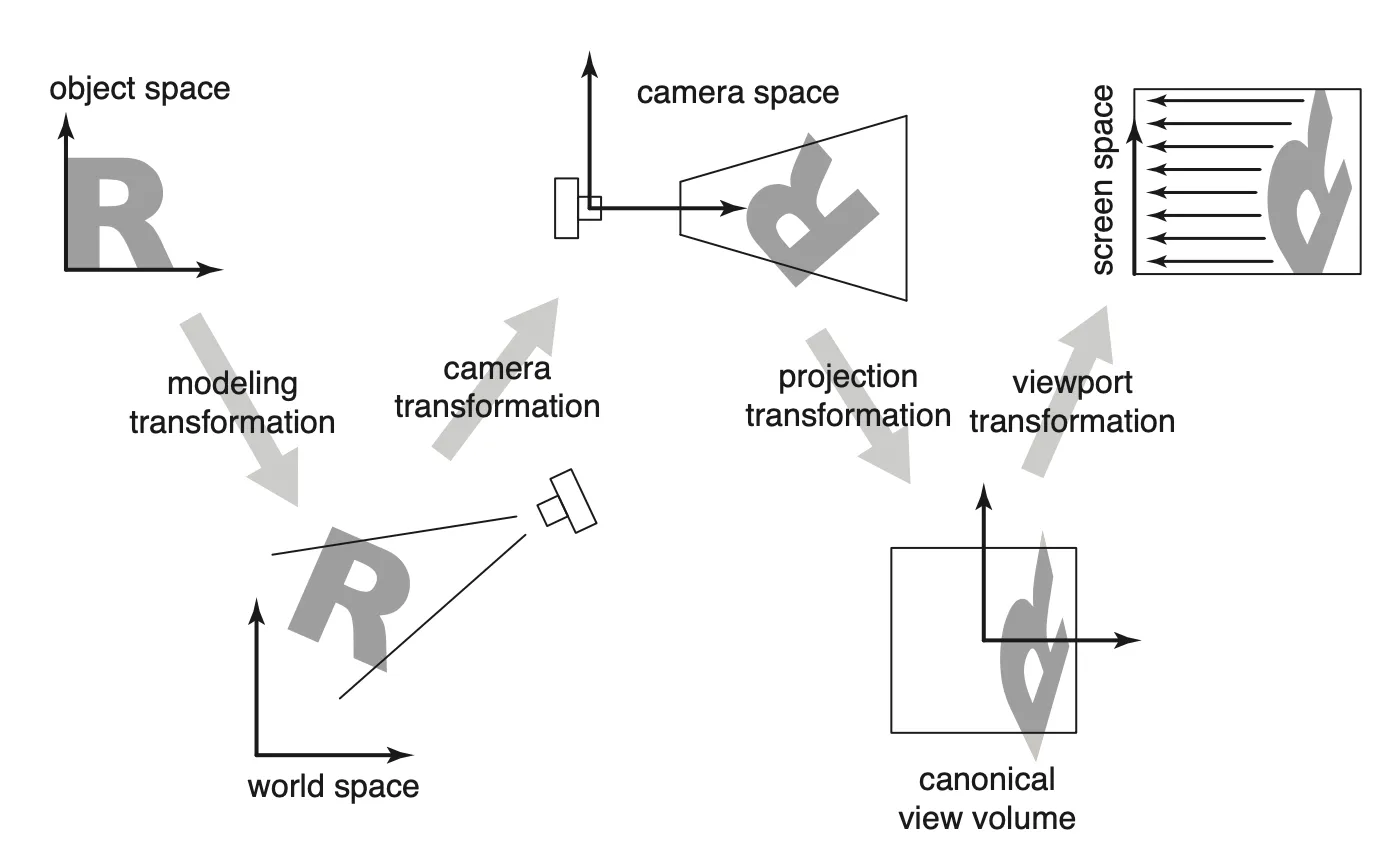
Section titled “Viewing”Object Space ==> World Space ==> Camera Space ==> Canonical View Volume ==> Screen Space
M V P viewport transformation一些别称:
Canonical View Volume: Clip Space, Normalized device coordinates(NDC)
Viewport Transformation
Section titled “Viewport Transformation”
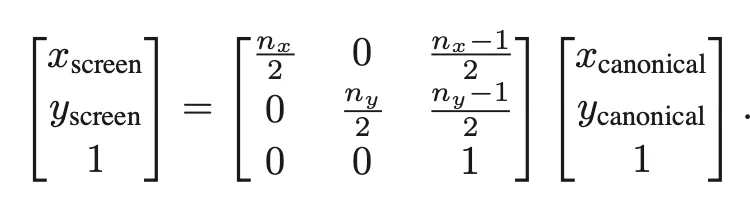
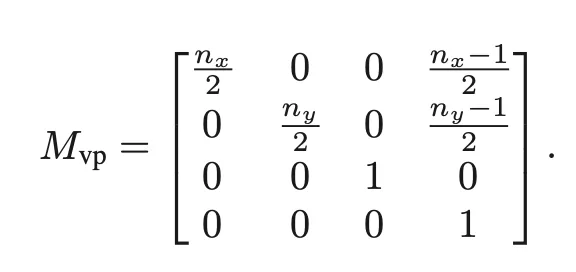
加上z轴,让z保持不变
Projection transformation
Section titled “Projection transformation”Orthographic
Section titled “Orthographic”
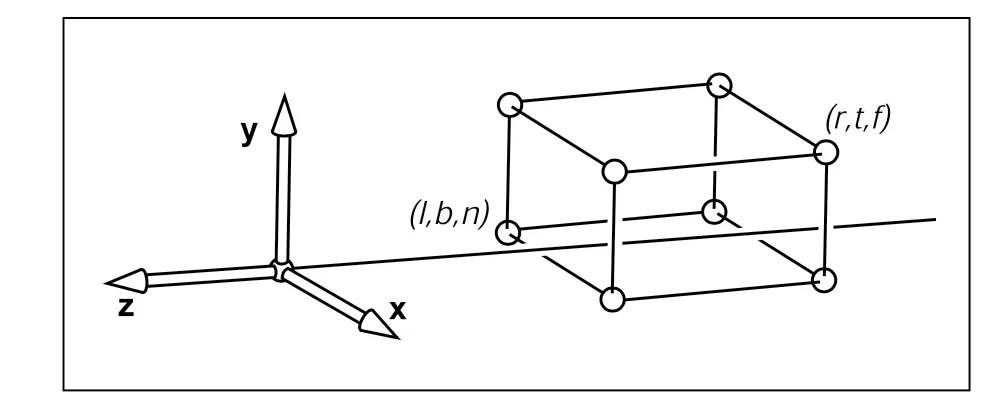
前者取决于用户设定
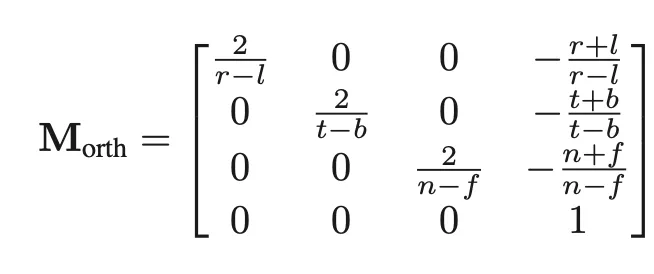
e.g:
n = -0.01
f = -150
Projective
Section titled “Projective”View(Camera) transformation
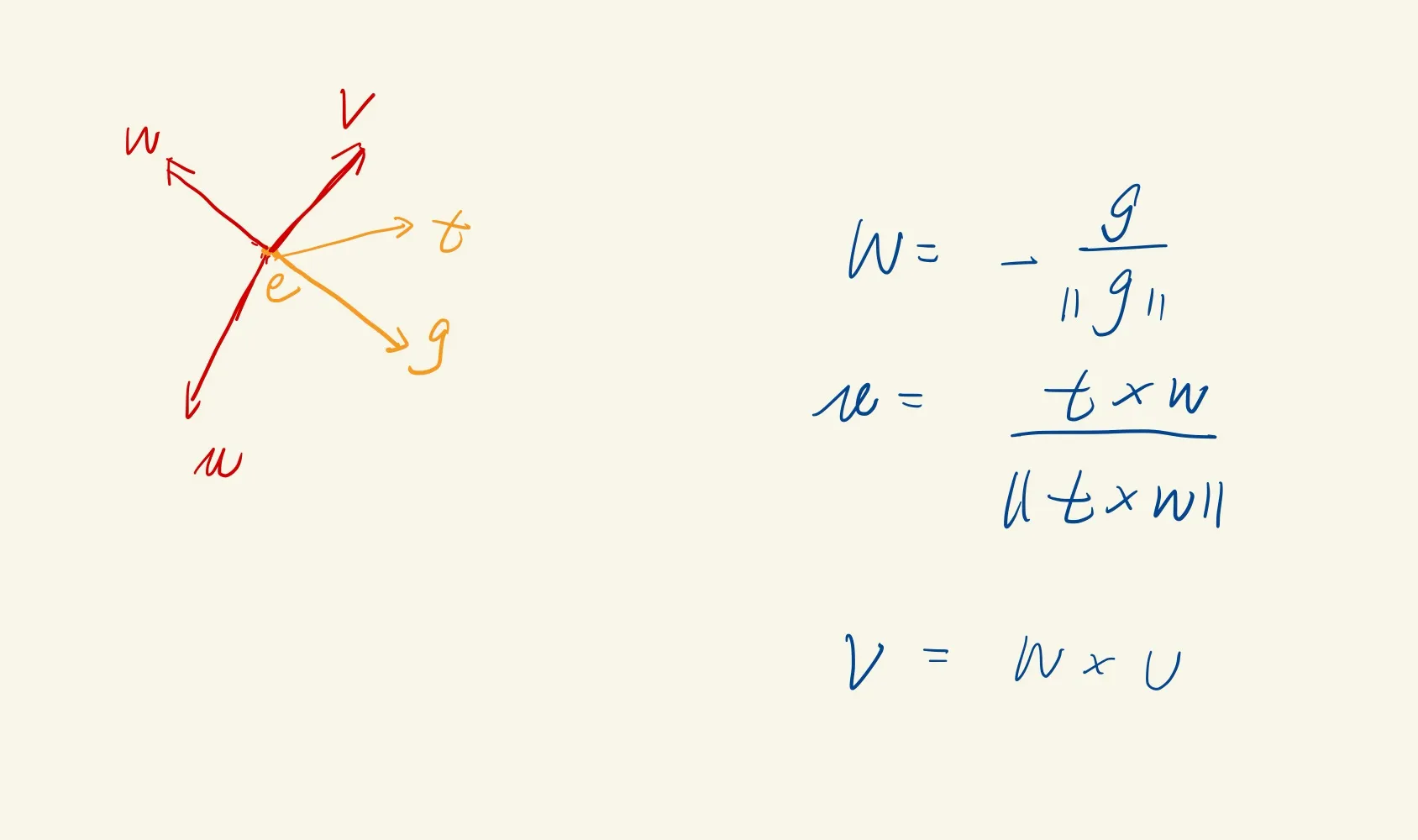
Section titled “View(Camera) transformation”world space[x,y,z] ===> camera space[u, v, w]
[u, v, w] can be generated from camera info:
- eye position: e
- gaze direction: g
- view-up vector: t 只是把观察者的头部分成左右两个部分
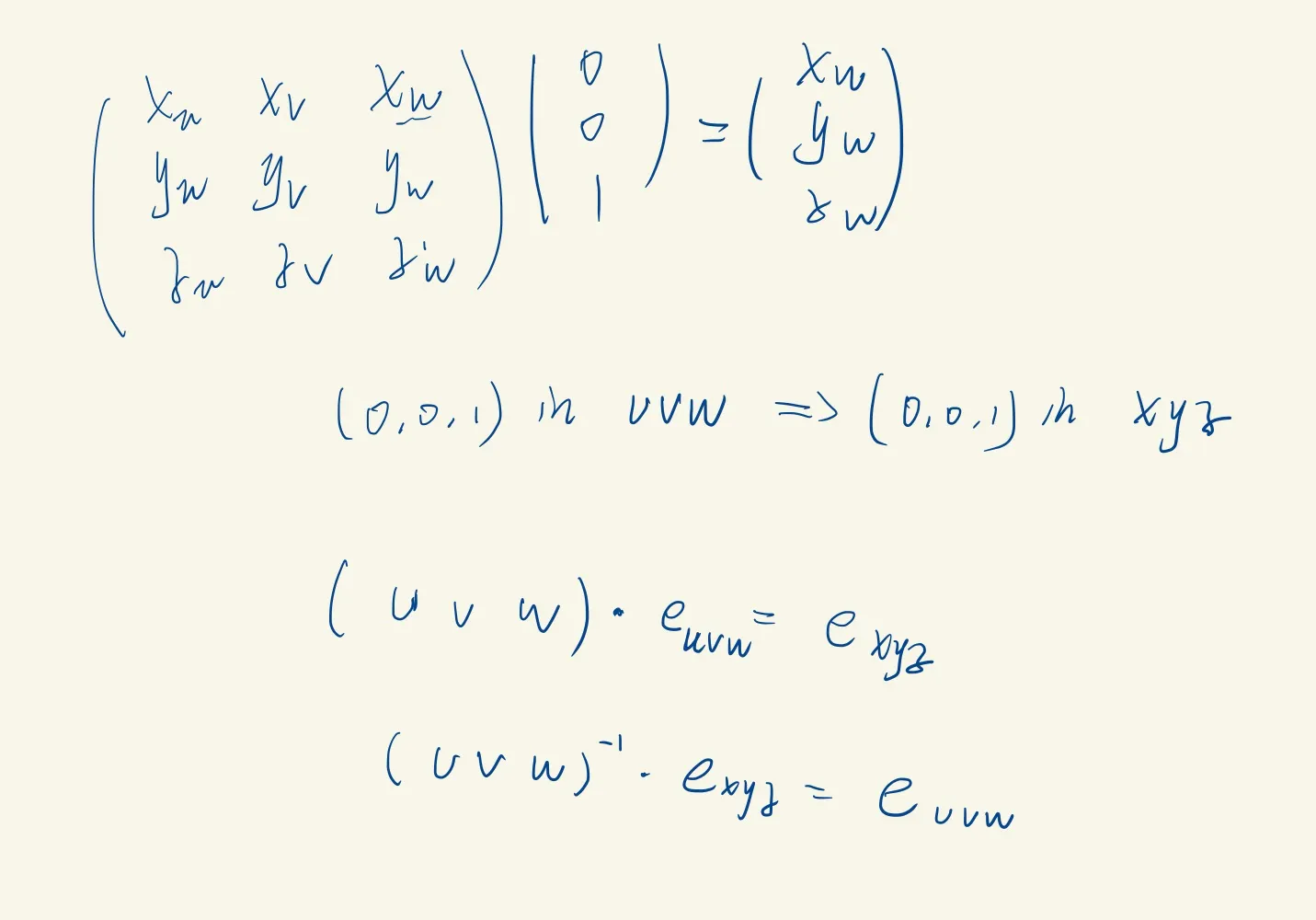

可以理解成先移动-e到原点再旋转